Digital flashcards: Learn more effectively with spaced repetition
Discover how digital flashcards and spaced repetition are revolutionizing your learning. Learn the basics of science, map design best practices, and the best tools like Anki and Quizlet.
You know the feeling: the mountain of learning material is growing, time is running out and what you learned yesterday seems to have disappeared again today. Traditional learning methods, such as passively reading notes or simply memorizing, often reach their limits when it comes to anchoring knowledge in the memory in a long-term and retrievable manner. But what if there was a method that was not only scientifically based, but also helped you learn more efficiently, more motivated and more sustainably? Welcome to the world of digital flashcards!
This article is your comprehensive guide to creating and using digital flashcards. We'll dive deep into the psychological principles that underpin their effectiveness, show you the best strategies for designing effective cards, and introduce you to the leading tools that can revolutionize your learning. In the end, you will not only know how to best use digital flashcards, but also how to develop a learning routine that will lead you to your goals. Get ready to fundamentally improve the way you learn and truly master knowledge!
1. The science behind the success of digital flashcards: Why they are so effective
Digital index cards are much more than just a modern version of their paper ancestors. They are based on deep-rooted principles of cognitive psychology that demonstrate how our brains best learn and retain information. If we understand these mechanisms, we can exploit the full potential of digital index cards.
1.1 Active Recall: The key to long-term memory
Imagine reading a text over and over again. Do you feel safer afterwards? Probably yes. But can you also reproduce the content without errors? Often not. The reason: Passive reading creates an illusion of knowledge. You recognize the information, but you don't have to actively retrieve it. This is where Active Recall comes in, also known as the Testing Effect.
Active recall means that you actively retrieve information from your memory instead of just passively receiving it. Every time you try to formulate the answer to a flashcard question before seeing the solution, you are strengthening the neural connections to that information. A study by Roediger and Karpicke (2006) impressively showed that students who tested themselves instead of just reading retained the material significantly better - and over longer periods of time.
How Digital Flashcards Promote Active Recall:
- Direct query: Each index card is a small examination unit. You see a question or a clue and have to formulate the answer in your head.
- Immediate feedback: After trying, turn the card over and see the correct answer. This allows you to immediately check your learning progress and correct misinformation.
- Overcoming the learning illusion: By actively remembering, you will quickly recognize which concepts you have really understood and where there are still gaps.
1.2 Spaced Repetition: Cheating on forgetting
The German psychologist Hermann Ebbinghaus discovered the so-called forgetting curve at the end of the 19th century. It says that after learning information, we quickly forget it if we don't repeat it. The good news: Each repetition flattens the curve and increases the time until we forget the information again. But when is the best time to repeat this?
This is exactly where spaced repetition comes into play. Instead of repeating information randomly or at fixed times, Spaced Repetition suggests gradually increasing the repetition intervals once a piece of information is considered mastered. Information that you know well is repeated less often. Information that you have difficulty with comes back to the table sooner. The system learns with you and adapts to your individual progress.
Advantages of Spaced Repetition:
- Maximum efficiency: You concentrate your learning time on the content that you have not yet mastered and don't waste time on what you have already learned.
- Long-term storage: Information is repeated exactly when it is about to be forgotten, optimizing its transfer into long-term memory.
- Adaptability: Modern digital tools integrate algorithms (e.g. SuperMemo's SM-2 algorithm) that calculate the ideal repetition intervals for each individual flashcard.
1.3 Elaborative Rehearsal: Deeper understanding through connection
Elaborative repetition means that you do not learn new information in isolation, but rather actively connect it with what you already know, make connections, look for examples or create analogies. It's about giving the material a deeper meaning and integrating it into your existing knowledge network. This not only promotes retention, but above all understanding.
How to incorporate elaborative repetition into digital flashcards:
- Write cards that ask for explanations and justifications, not just definitions.
- Include examples and anecdotes to help you see the concept in a larger context.
- Link related concepts or create cards that ask you to identify differences or similarities.
- Use images, diagrams, or even short audio recordings to engage different senses and enrich the encoding of information.
2. Best Practices: How to design effective digital flashcards
The algorithm is only as good as the data it is fed with. Poorly designed flashcards can render even the most sophisticated spaced repetition systems ineffective. Here are the golden rules for creating flashcards that really work:
2.1 The “One Question, One Answer” Rule: Simplicity and Precision
This is the most important rule. Each index card should ask for exactly one piece of information and require a precise, short answer. Avoid cramming multiple concepts into one card or asking vague questions that lead to long, complex answers.
Why this is important:
- Clarity when retrieving: You know exactly what is being asked and what information you should retrieve.
- Clear rating: The system can clearly determine whether you knew the answer or not.
- Lower Cognitive Load: Learning does not become a writing exercise but remains a quick query.
Example:
- Bad: “Explain the French Revolution and its key players.” (Too comprehensive)
- Good: “What event marked the beginning of the French Revolution on July 14, 1789?” Answer: “Storming the Bastille.”
- Good: “Name three main players in the French Revolution.” Answer: “Robespierre, Danton, Marat.”
2.2 Context and Linking: Integrate images, diagrams and examples
Our brains love stories, images and connections. Use this! Supplement your cards with visuals or examples to help you understand the information in context.
- Images and graphics: Especially with complex processes (biology, anatomy, technology), images or small diagrams can work wonders. A picture often says more than a thousand words.
- Memo Techniques: Include mnemonics, acronyms, or small rhymes in your answers or questions. This makes learning more playful and the information more memorable.
- Real Examples: When learning an abstract term, think of a concrete example from everyday life or your field. This anchors the knowledge more deeply.
2.3 From passive to active: Formulate questions, not just bullet points
Resist the temptation to simply copy the most important bullet points from your notes. Instead, formulate questions that are thought-provoking and require real understanding.
Example:
- Bad: “Cognitive dissonance: discomfort with contradictory beliefs.”
- Good: “What is cognitive dissonance and when does it occur?” Answer: "Cognitive dissonance is a psychological state of tension that arises when a person has conflicting attitudes, beliefs, or behaviors. It often occurs when our actions are inconsistent with our values."
2.4 Variation and multimodality: Use different question types
Not every piece of information can be learned optimally with a simple question and answer card. Vary the type of cards you create to appeal to different learning channels.
- Cloze Deletion Cards): Ideal for completing sentences or learning important terms in a context.
- Image Caption: Perfect for anatomical diagrams, maps or technical drawings.
- Audio cards: Essential for language learning, to practice correct pronunciation or to train listening comprehension.
- Swap front and back: Many programs make it possible to query cards in both directions (e.g. vocabulary German-English and English-German). Use this function!
3. Digital index cards in practice: areas of application and examples
The versatility of digital flashcards makes them an invaluable tool for almost any subject and learning purpose. Here are some examples of how you can use them effectively:
3.1 Learn languages
The classic! Vocabulary, grammar rules, idioms, sentence structures. You can also practice pronunciation with audio integration. You can get tickets for:
- Vocabulary: Front: German word, back: foreign language word + example (sentence) + audio pronunciation.
- Grammar: Front: "Conjugate 'to be' in the past tense", back: "I was, you were, he/she/it was..."
- Sentence structure: Front: "Translate: 'I'm going to the cinema tonight.'", Back: "I am going to the cinema tonight."
3.2 Medicine, law and complex sciences
These subjects are teeming with facts, definitions, processes and case studies. Digital flashcards are ideal for:
- Definitions: “What is the difference between aorta and artery?”
- Diseases/symptoms: “Name three symptoms of type 2 diabetes mellitus.”
- Legal Terms: “Define ‘perpetration’ in criminal law.”
- Processes: “Describe the steps of cellular respiration.” (Picture cards with labeled processes are also suitable here).
3.3 IT and programming
Syntax, commands, concepts, algorithms – digital flashcards are a game changer here too:
- Syntax: “How to declare a variable in Python?”, back:
variable_name = value - Commands: "What does the Git command
git pulldo?", Back: "Loads changes from the remote repository and performs a merge." - Concepts: “Explain the principle of Object-Oriented Programming (OOP).”
3.4 History, Geography and Humanities
Dates, names, places, theories, eras - all of this can be easily structured and learned with digital flashcards:
- Dates and Events: “When did the Battle of Waterloo take place?”, Reverse: “June 18, 1815.”
- People: “Who was Immanuel Kant and what is he known for?”, back: “German philosopher of the Enlightenment, known for his critical philosophy and the categorical imperative.”
- Concepts: "Explain the term 'Cold War'."
4. The best tools for digital flashcards
The market for digital flashcard apps is large. Here we introduce you to the most popular and effective ones, each with their own strengths.
4.1 Anki: The open source champion for spaced repetition
Anki is the undisputed gold standard for those who want to learn seriously and scientifically. The name “Anki” means “memorizing” in Japanese. It is a free (Desktop and Android) open source program that uses a sophisticated Spaced Repetition Algorithm (SM-2).
Advantages:
- Powerful algorithm: Adapts the repetition intervals extremely precisely to your individual learning behavior.
- Infinitely Customizable: You can create your own map types, install add-ons (over 1000 available!) and configure the software's behavior in almost any way you want.
- Media Content: Supports text, images, audio, video and LaTeX.
- Synchronization: Free cloud service AnkiWeb for synchronization across all devices (desktop, web, iOS (paid), Android (free)).
- Huge Community: Access to thousands of pre-made decks for a variety of topics.
Disadvantages:
- Steep learning curve: For beginners, it can be complex to get up to speed as the interface is not as intuitive as other apps.
- Design: Less “fancy” than some competitors.
- iOS app paid: The official app for Apple devices is paid to support development.
Ideal for: Students in demanding subjects (medicine, law, science), language learners, anyone who wants maximum control over their learning process and is willing to put in the work.
4.2 Quizlet: Versatile, user-friendly and social
Quizlet is one of the most popular learning platforms worldwide and is characterized by its user-friendliness and diverse learning modes. It is less focused on a strict spaced repetition algorithm than Anki, but offers a wide range of learning games and activities.
Advantages:
- Very intuitive: Extremely easy to use and ready to use quickly.
- Various learning modes: Offers flashcards, learning (writing, test and combination modes), test, matching and gravity (one game).
- Extensive library: Access to millions of user-created learning sets.
- Collaboration: Easy sharing of learning sets and group features.
- Cross-platform: Available on the web and as an app for iOS and Android.
Disadvantages:
- Spaced Repetition less sophisticated: The algorithm is not as optimized as Anki.
- Ads in the free version: May be annoying.
- Some features Premium: Many of the more advanced learning modes and ad-free use require a paid subscription (Quizlet Plus).
Ideal for: High school students, students with less stringent long-term memorization needs, group collaboration, fast learning, and users who prefer a playful approach.
4.3 Memrise: Learn languages with memory aids
Memrise specializes in language learning, incorporating a unique method that relies on mnemonics and community-based “memes” (memory aids).
Advantages:
- Language Focus: Great for vocabulary and phrase learning with native speakers and video clips.
- Memes: Users can create and share mnemonics, making them easier to remember.
- Gamification: Provides a gamified learning experience with points, ranks and challenges.
- Spaced Repetition: Integrates a custom algorithm that schedules repetitions.
Disadvantages:
- Less flexible for other subjects: Not as well suited for non-linguistic content.
- Premium Features: Much of the advanced content and many features are behind a paywall.
Ideal for: Language learners looking for a fun and visually appealing platform that also incorporates cultural aspects.
4.4 Chegg Prep (formerly Flashcards+):
Chegg Prep is part of the broader Chegg platform focused on student learning tools. It offers basic digital flashcard functionality and is well integrated into the Chegg ecosystem.
Advantages:
- Easy Creation: Quickly create flashcards.
- Mobile Apps: Available for iOS and Android.
- Integration: Well integrated with other Chegg services (like textbook solutions).
Disadvantages:
- Basic features: Does not offer the depth and customizability of Anki or the variety of learning modes of Quizlet.
- Monetization: As with many similar platforms, advanced features often come at a cost.
Ideal for: Students who already use other Chegg services and are looking for a simple, straightforward flashcard solution.
5. Your path to the optimal learning routine with digital flashcards
Digital flashcards are powerful, but only if you use them consistently and intelligently. A good routine is crucial.
5.1 Continuity is key: Small, regular sessions
The biggest mistake you can make is studying with your flashcards sporadically. Spaced Repetition only develops its full effect with regular use.
- Daily Mini Sessions: Schedule 10-30 minutes per day to review your outstanding cards. It's better to do 15 minutes a day rather than 2 hours once a week.
- Use waiting times: Commute, lunch break, waiting room - your smartphone is always with you. These small time windows are perfect for quick repetition sessions.
- Strong habit: Integrate studying with flashcards into your daily routine, for example always in the morning with coffee or in the evening before going to bed.
5.2 Making mistakes is allowed: Use the learning curve
It's frustrating not knowing an answer. But that is exactly a crucial part of the learning process. If you can't answer a card correctly, the system will show you that you haven't yet mastered that information and will have to present it to you again soon. See mistakes as learning opportunities, not failures.
- Be honest with yourself: If you find yourself hesitating, guessing, or only partially knowing the answer, mark the card as “difficult” or “relearn.” It doesn't help anyone if you deceive yourself.
- Analyze your mistakes: Why didn't you know? Was the card poorly worded? Was it a problem of understanding? Take the opportunity to improve the map or reread the underlying material.
5.3 Adjusting your strategy: What works for you?
Every person learns differently. What works for one person may be less effective for another. Experiment and find out what your optimal strategy is.
- Number of new cards: Start with a small number of new cards per day (e.g. 10-20) and gradually increase as you become more comfortable. Don't overwhelm yourself.
- Card Types: What types of cards help you the most? Do you need more pictures, more examples, more fill-in-the-blank texts? Customize your map creation to your preferences.
- Time: Are you a morning person or do you study better in the evening? Adapt your learning times to your bio-rhythms.
5.4 Integration into everyday study life: time management
Digital flashcards are a tool, not a complete learning strategy. They must be integrated into your entire everyday study life.
- After attending the lecture/reading: Create your cards immediately while the material is still fresh. This is more efficient than doing everything at once later.
- Combination with other methods: Use flashcards to complement mind maps, summaries, discussions or problem-solving exercises. They help you master the facts while other methods deepen understanding.
- Periodic Review: Use the apps' stats to track your progress and see how well you're mastering the material. That motivates!
Conclusion: Master your knowledge with digital flashcards
Digital flashcards aren't a magic bullet, but they are undoubtedly one of the most scientifically based and effective learning methods available to us today. Through the consistent use of Active Recall and Spaced Repetition - supported by clever algorithms - you overcome the natural forgetting curve and anchor knowledge sustainably in your long-term memory.
From precisely designing your cards according to the “one question, one answer” rule to integrating multimedia content to choosing the right tool like Anki or Quizlet - you now have the knowledge you need to revolutionize your personal learning strategy. Remember: Continuity, honesty about mistakes, and adapting to your individual needs are the key to success. Start creating your digital flashcards today and see how you not only accumulate knowledge, but actually master it.
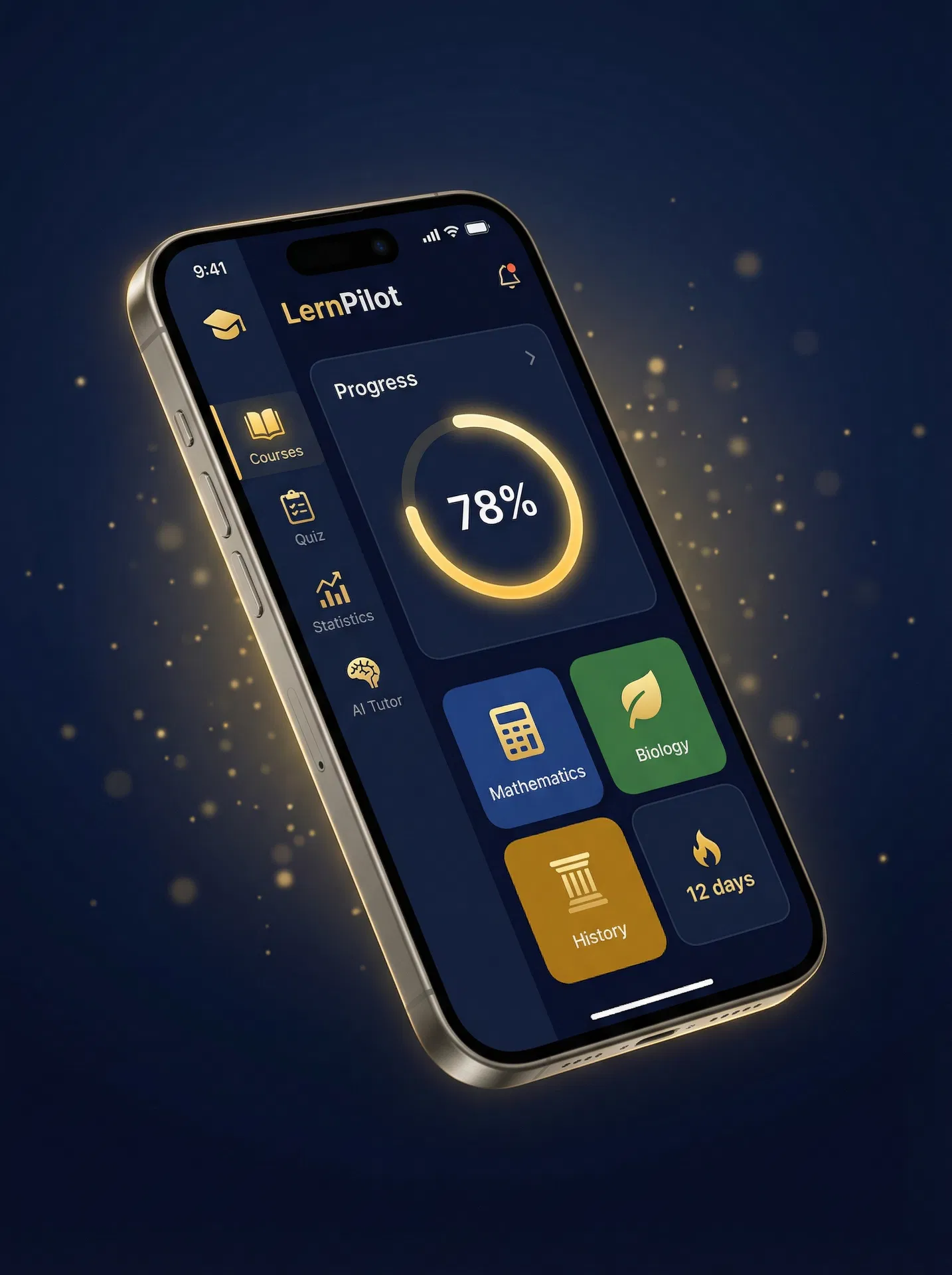
Would you like to apply these techniques directly? With LernPilot you can learn with AI support and optimize your learning strategies.